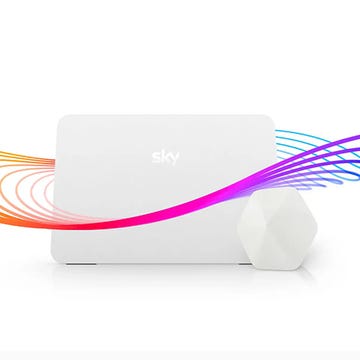
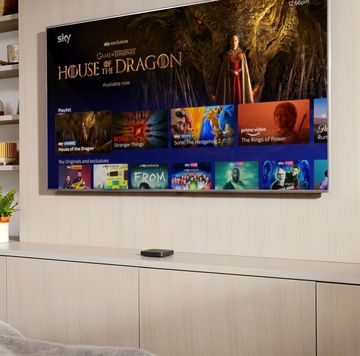
If you're considering upgrading your TV setup, then Sky Glass is an option to consider if you're in the market for both new hardware and a range of programming – and you don't mind committing to fixed-term deals for both.
Sky Glass is a dish-free, cable-light service with everything you need for a high-spec, up-to-date TV experience. Sky refreshed its flagship sets with a new Gen 2 model earlier last year, and has also just launched its "value" Sky Glass Air TV sets.
Depending on which package you choose, that could include:
• A Sky Glass smart 4K TV set (choice of three screen sizes – 43", 55" or 65" – and three colour options for both Gen 2 and Air sets).
• Sky Broadband
• Subscriptions to Sky channels and Netflix (Standard with Ads tier as default)
If you feel like it could be for you, then read on for a rundown of the packages, current deals and our Sky Glass verdict.
What to Read Next
Is Sky Glass a good deal?
We'll be transparent: Sky Glass is best suited to buyers who want to refresh their home media setup and who also want to commit to a Sky TV package over a longer-term period.
A big part of the appeal is the Sky Glass TV set itself, with its integrated media-streaming capabilities and choice of screen sizes and colours.

Pros
- Simple to set up and use
- Tailored recommendations based on your viewing habits

Cons
- Picture quality not as strong as competitors' sets
- Prices may rise during your subscription period

Related: Best streaming services
With that said, if you already have a good TV set that you're happy with, you'd be better off getting a Sky Stream package, which delivers content from Sky TV and other providers via a small streaming box.
Customers who don't want to commit to a fixed-term Sky contract may also prefer to subscribe to Sky Stream, which has 24-month and 31-day options for its entry-level TV package.
Sky Glass Gen 2 TV deals July 2026
Here's more information for the Sky Glass Gen 2 TV sets – our most recent check was conducted on Wednesday, 1 July 2026 and often contain big discounts when you pay in full.
The Sky Glass Gen 2 TV set is available in three sizes: 43", 55" and 65". You can choose between Sky's Essential TV subscription or its Ultimate TV package, and we take you through the differences between both below.
Customers have a choice on how to pay for their Sky Glass Gen 2 TV set. There are options to pay upfront, or sign up for a 24-month or 48-month contract. The programme packages are available for either a 24-month period or on a 31-day rolling contract.
The standalone prices of the TVs as of July 2026 are as follows. Note that you will need to buy a programme package to go with the TV – either Sky's Essential TV or Ultimate TV plan – with the choice of a 24-month or 31-day rolling agreement.
• A 43" Sky Glass Gen 2 TV is priced at £699
• A 55" set is priced at £949
• A 65" set currently costs £1199
If you don't pay for your TV upfront, you will enter either a 24-month or 48-month interest-free loan agreement, along with a small upfront fee – further information on pricing for these agreements is available on the Sky Glass website.
All contract purchases are subject to status and credit checks, and Sky's terms and conditions repeatedly state that "prices may change" during contracts.
Related: Sky Glass vs Sky Q – which TV package is best for you?
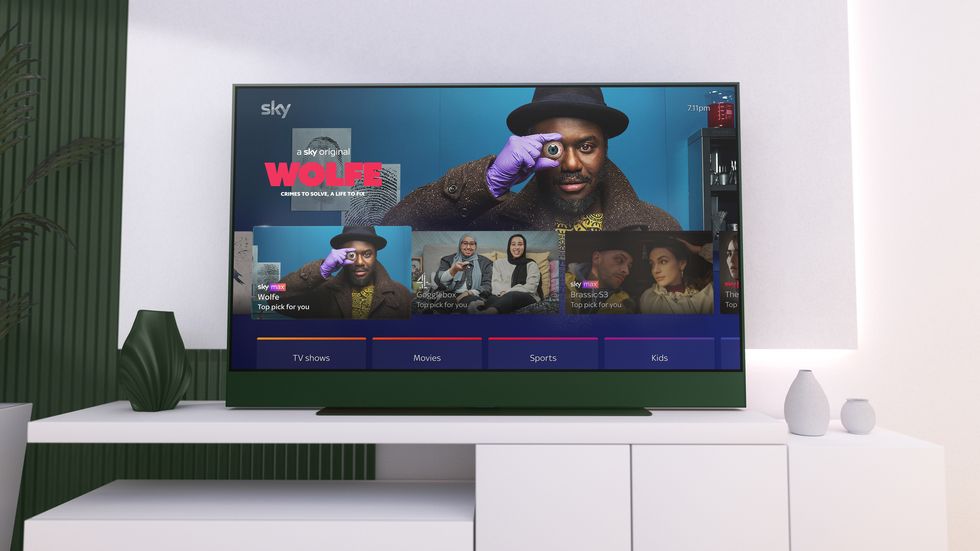
In addition to the three different Sky Glass Gen 2 TV set sizes, there are three different colour schemes (Volcanic Grey, Arctic Silver and Atlantic Blue) depending on stock availability.
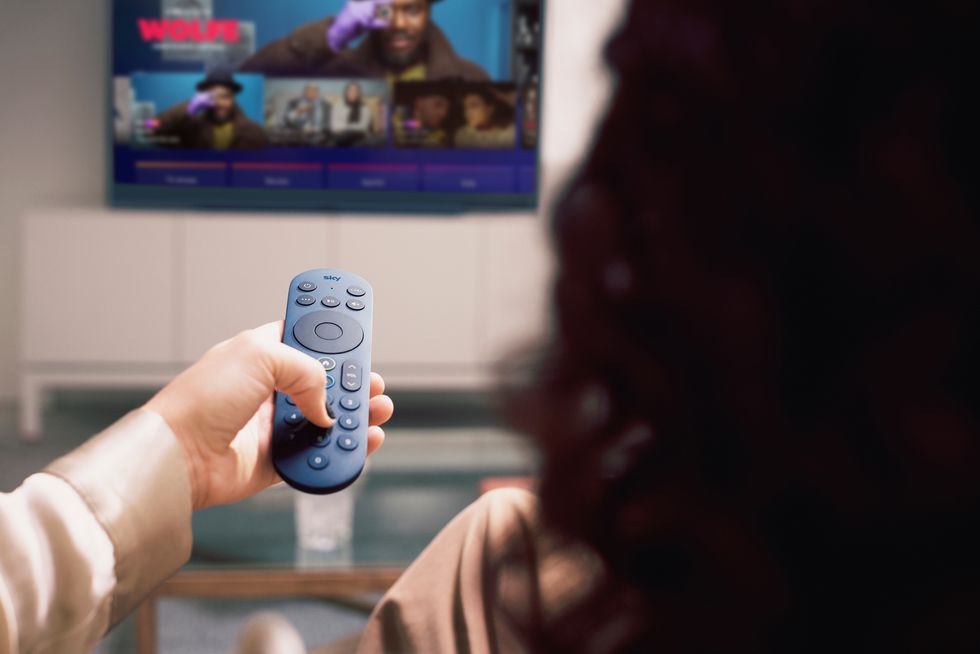
Each set has a matching remote control with backlit keys, and there's a handy user guide, too.
Sky Glass Air TV deals July 2026
The Sky Glass Air sets come in three different size options with a choice of three colourways (grey, green and white).
• A 43" Sky Glass Air TV currently costs £309.
• A 55" Sky Glass Air TV currently costs £509.
• A 65" Sky Glass Air TV currently costs £649.
Remember that you will need to buy either the Sky Essential TV or Sky Ultimate TV programme package (on either a 24-month or 31-day rolling plan) to go with your Sky Glass Air TV set.
There is also the option to spread the cost of the TV set over 24 or 48 months – further details on pricing and how to go about this are available via the Sky Glass Air landing page.
Sky Glass package options explained – Essential vs Ultimate
In addition to your Sky Glass TV set, you'll also need to make sure you have a Sky subscription – note that the cost of this and any other add-ons are additional to the base cost that you pay for your Sky Glass TV set.
While there's no free trial of the Sky Glass TV hardware, you can sometimes get a free trial of the default programme package that's required as standard. Following a change to Sky Stream's tiers, you can now choose between two options.
Sky Essential TV is the entry-level package. This includes Sky Atlantic and Sky Arts, Netflix Standard with Ads and discovery+ basic membership, alongside streamed access to UK public service channels such as BBC, ITV, Channel 4 and Channel 5.
Sky Ultimate TV includes everything that Sky Essential TV customers get, but you'll also receive additional pay Sky channels as an Ultimate TV member including Sky Comedy, Sky Crime, Sky Documentaries, Sky Sci-Fi, Sky Max, Sky Nature, Sky Showcase and Sky Witness. As of April 2026, it includes several streaming services including HBO Max, Disney+, Netflix and Hayu.
Shop Sky Glass with Essential TV or Ultimate TV
Further premium channels on the Ultimate TV package include National Geographic, MTV and MTV Music, plus U&Gold.
Finally, if you'd like to upgrade your Netflix and Disney+ packages from the default Standard with Ads option, you'll have to pay a little extra per month (and have the option to do this as you work through the checkout process).
Netflix Standard is an additional £6/month (usually £8.49/month) on top of the cost for your TV and your chosen base package price, and Netflix Premium costs an extra £11/month (usually £14.49/month).
Sky Glass add-ons
There are also some introductory deals on entertainment products that many customers will choose when building their Sky Glass bundle.
There are hundreds of potential package combinations, depending on how much you want to watch and where, and whether you also want a broadband package.
• Sky Sports is on offer as an add-on at £20/month on a 24-month contract (normally £35/month). Customers who'd prefer a 31-day rolling contract will pay £27/month (normally £35/month).
• Sky Cinema is on offer as an add-on at £10/month on a 24-month contract (normally £17/month). Customers who'd prefer a 31-day rolling contract will pay £13/month (normally £17/month).
• Add TNT Sports to your package for an offer price of £28/month for 24 months, on a 31-day rolling contract (normally £34/month).
• Sky Kids is on offer at £6/month for 24 months on a 31-day rolling contract (normally £8/month).
• The UHD and Dolby Atmos add-on costs £6/month on a 31-day rolling contract. This lets you watch compatible content on Sky Entertainment, Sky Cinema and Sky Sports with top-quality sound and pictures.
• The ad Skipping add-on costs £5/month (usually £6/month) on a 31-day rolling contract. This lets viewers "fast-forward ads on Restart, Playlist and On Demand". It is available in apps, too, except for YouTube and Netflix.
All the details for the different options can be found when you build your Sky Glass TV package, and you can create a bundle that works for you, step by step.
Sky Glass broadband requirements
As all Sky Glass TV content is piped into your home over the internet rather than a satellite dish, you may be worried that your broadband isn't fast enough.
The good news is that you only need an internet speed of 25mbps to stream HD content to Sky Glass, and you don't necessarily need to be on Sky Broadband (any provider will work).
However, if you get the Ultra HDR and Dolby Atmos Pack, the minimum recommended broadband speed goes up to 30mbps.
Can you record on Sky Glass?
Sky Glass doesn't have Series Link-style recording, instead offering a playlist system that's the counterpart of watchlists on other streaming services.
You can instead stream anything from your playlist on demand and use the plus button on the remote to add a series or movie to your playlist. Find out more about how the playlist function works here.
Sky Glass multiroom with Whole Home add-on
If you'd like a multiroom Sky Glass experience, you can add the Whole Home package for £15/month on a 31-day rolling agreement (usually £15/month).
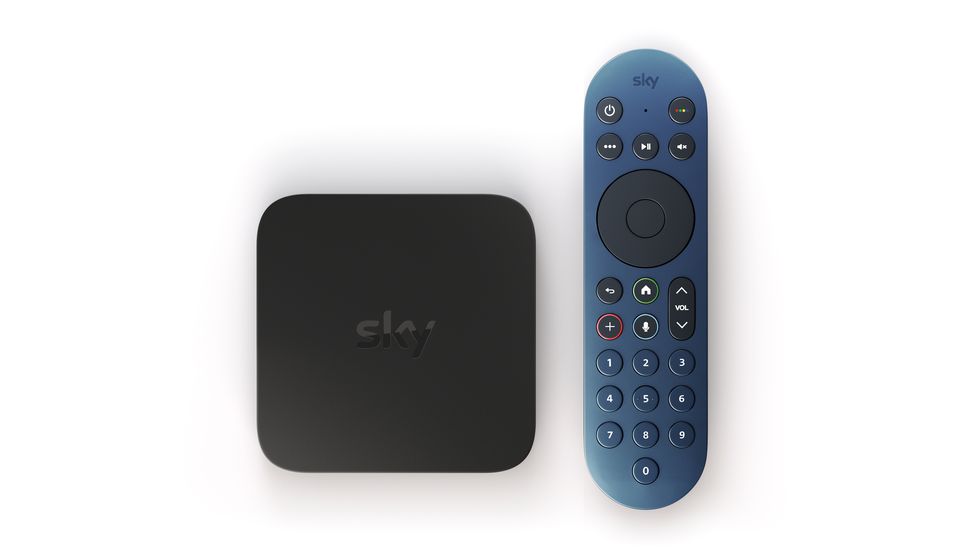
You'll also need a piece of hardware called the Sky Stream puck, which usually costs £39.95 per unit (although sometimes, you will be offered your first one for free at checkout).
Contrary to its name, the Stream puck is square-shaped. It connects directly to the cloud, and up to six can be connected at once.
The puck is the same hardware used to deliver the satellite-dish-free, TV-free Sky Stream service.
Sky Glass verdict
Tech journalist Yasmine Crossland has firsthand experience with the first-generation Sky Glass TV set, having used it for a while in her living room.
So, does she think it's worth buying? The short answer is yes – it's a fantastic, hassle-free option for anyone who wants Sky TV without installing a satellite dish.
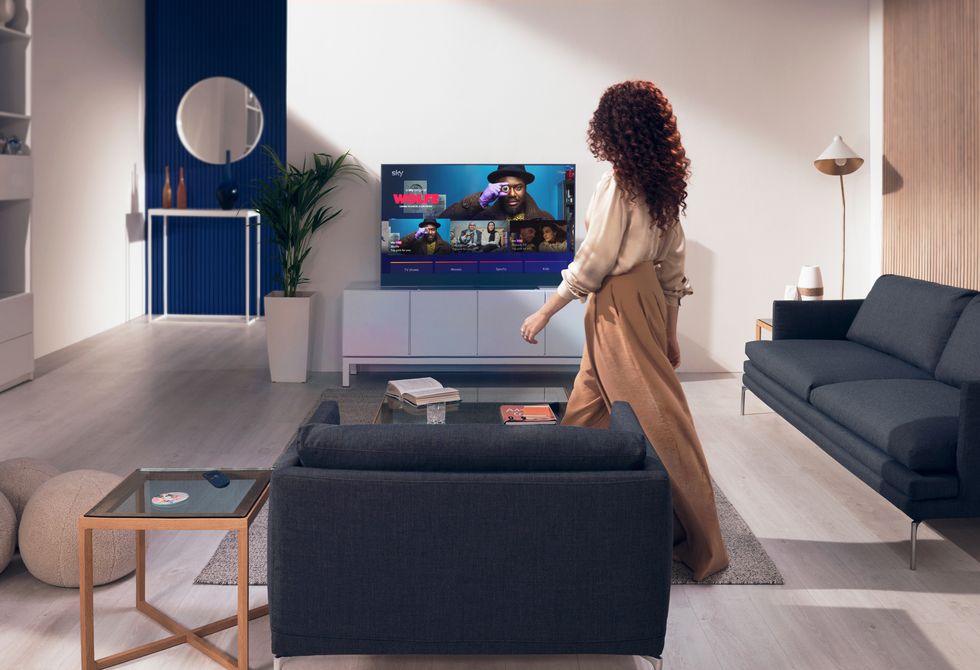
The Sky Glass comes in three sizes, with 4K resolution, and there's a soundbar built in. You can control it by voice, and it has easy access to on-demand entertainment from all the best streaming services, including Sky's library of movies and TV shows.
Everything about the setup process is simple. When you order a new Sky Glass TV, the delivery company assembles it for you, and then all you need to do is turn it on and follow the instructions.
Sky's operating system is straightforward to use as well, thanks to a simple layout and recommendations tailored to you and your viewing habits.
Granted, the picture quality isn't as good as one of the top TV sets from the likes of Samsung or LG, and you will need a stable internet connection to get the best experience.
But even so, this is a TV that can be enjoyed by everyone and anyone, even if you're not so confident with technology.
Kate (they/she) is a freelance writer, editor, digital editorial trainer and data technician who first joined Digital Spy as an overnight freelance sub-editor in January 2011, after studying a postgraduate diploma in journalism at Salford University while working part-time as a social researcher.
In July 2013, Kate joined the DS staff team as chief sub-editor and following six years as the site's managing editor, their role expanded to incorporate Hearst UK's entertainment portfolio (including Digital Spy and its sibling titles Best and Inside Soap) between late 2024 and early 2026.
Kate has worked as a writer and editor since 2006, with bylines syndicated across the Hearst network and at organisations including Metro. They started their career as a TV production runner for the BBC and contributed to various music websites, blogs and zines while based in Manchester.
During her time at DS, Kate has previously been a freelance sub-editor and chief sub-editor.
Kate's team at Digital Spy were proudly nominated in the Best Subbing/Production Team category at the BSME Talent Awards 2022. Over the years, she has contributed to coverage of many, many Prime Days and Black Friday/Cyber Monday, and was part of the team that launched the DS weekly TV newsletter in November 2019 – followed by the Top of the Shops e-commerce newsletter in May 2024.
Kate's screen passions include Taskmaster (their biggest career regret remains turning down the opportunity to visit the house), nature documentaries, and live sport (up there with the greatest of all soap operas although if asked to choose, it's Corrie… every time).
Her highlights while working at DS have included interviewing Stevie Nicks on the red carpet for her documentary In Your Dreams, sitting at a press roundtable with Formula 1 commentary icon Murray Walker, watching a life-sized LEGO car being driven around Silverstone, writing an album-by-album retrospective of Lady Gaga's genre-defying career for Living Legends, and raising awareness of receiving and understanding a late-in-life ADHD diagnosis through the lens of Bianca and Freddie's EastEnders storyline.
Upon remembering to log off the internet, Kate enjoys live theatre, dance and comedy, appreciating nature, baking (badly), tending a recently-rented allotment (equally badly) and pampering one very spoiled rescue cat named Jolene.
LinkedIn
Yasmine Crossland (she/her) is a freelance tech journalist and reviewer, specialising in advice guides and product reviews across phones, TV and audio, smart home, and laptops and tablets. She also covers major sales events like Prime Day and Black Friday.
A former Technology Ecommerce Editor at Digital Spy, Yasmine has previously written for titles including Good Housekeeping, T3 and Pocket-Lint. Since 2019, Yasmine has tested hundreds of products from brands including Samsung, Google, Amazon, Bose, Sony and more. As a proud Google Pixel owner, she's an expert on Android too.
Some of Yasmine's most popular guides include the best smartphones, the best noise-cancelling headphones and the best TV streaming services. If you need advice on the kit you should buy, she’ll happily point you in the right direction.
An English Language graduate from King's College London, Yasmine is also a keen writer and grammar is her guilty pleasure. In her free time, you'll catch her solo travelling the world, tending to her houseplants and practising yoga.
Follow Yasmine on X: @yecrossland and Linkedin

Lifestyle Writer, Entertainment Portfolio
Rachel joined Inside Soap in 2015 as a picture researcher having studied journalism at Portsmouth University. After seven years on the picture desk, Rachel moved on to the lifestyle team at best magazine delving into the world of fashion, beauty and all things lifestyle.
From working with celebrities and on photoshoots and assisting with Hearst UK entertainment portfolio events, Rachel also contributes to best's sibling titles (Inside Soap and Digital Spy), dipping into the world of soaps and all things TV and entertainment.