 By
By 
There was a time when Microsoft updated its Xbox One every month, bringing a plethora of bug fixes, interface tweaks and spangly new features to redefine your console regularly. Alas, we've been a bit deprived of late, but the less-regular firmware fiddlings have meant that when they land, you need to take notice.
The upcoming Cortana update, as it's become known, is arguably the biggest one yet. Rolling out to those signed up to the Xbox Preview scheme on Xbox One this week, and on Windows 10 in the coming weeks before a major release this summer, here are the seven biggest features coming with the Xbox One Cortana update. Hint, there's a clue in the title.
1. CORTANA IS COMING TO CLEAR UP YOUR CONSOLE

Cortana, the Halo sidekick that became a Siri-esque digital assistant, has been on Windows Phone devices for a while. You'll find her on most Windows PCs, too, but now she's finally making her way to the Xbox One thanks to Windows 10.
Although many of you might not use Microsoft's voice assistant yet because you're rocking a Mac or an Android/iOS smartphone, you might just find that little voice is quite a help on Xbox One.
Set your home and your workplace and Cortana will notify you when you need to leave for work, depending on traffic and your usual commute routes, letting you know how much longer you can play Forza for.
That's just one example of course, but if you use your Xbox One as your home entertainment system, you'll be able to utilise her knowledge for a number of other things, including checking how old Kevin Spacey is while you're watching House of Cards.
What to Read Next
2. A UNIFIED XBOX ONE/WINDOWS 10 EXPERIENCE MOVES ONE STEP CLOSER


Microsoft has been banging on about the universal Windows 10 platform for quite a while yet, and Cortana is certainly another step in the right direction. But there's more evidence for enhanced Windows/Xbox One synergy with this update too.
For one, the Store has been given a revamp with one main storefront that drills down into the various sections as you scroll down the page, rather than automatically splitting into various content types as soon as you move into the store as it does currently.
What you see here is the first steps towards a unified Windows/Xbox store, which will arrive at a later date.
Some improvements have been made now though, including visible Xbox Live Gold reductions and an indicator as to whether you already own or have installed any of the content within the store - something that wasn't possible before on the Xbox platform.
Secondly, you can see any PC achievements and DVR clips that you make on PC games within the UI on the Xbox One, merging all your gaming into one rather impressive (or not so, depending on your skills) resume.
3. YOU CAN BIN YOUR KINECT AT LAST


If you weren't an early Xbox One adopter, you probably won't have a Kinect. Microsoft decided to offer a Kinect-free Xbox One bundle post-launch to entice new consumers in with a lower price point and thanks to a real lack of Kinect-supporting games, not many of you will have felt the need to buy one separately.
And the good news is that even if you want to make use of Cortana on the Xbox One you won't need to get one now either. That's because to use Cortana on Xbox One, you can now communicate with her using a gaming headset.
That might not be convenient for everyone, but it's certainly useful when you're mid-game and need to Google something - or Bing something, it is Microsoft.
4. VOICE COMMANDS ARE NOW FAR MORE THAN HOT AIR
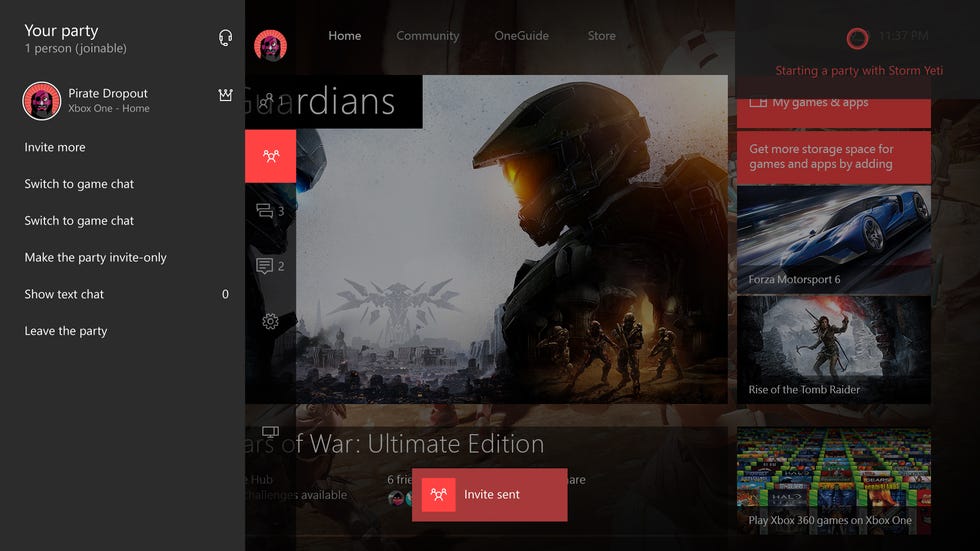

Gone are the days where you need to scream "Xbox On" at the TV to get your trusty console to boot up. Now, you can use a more loving voice to ask Cortana to be your aide.
Microsoft is changing the voice commands to start with "Hey Cortana". So voice commands will now be along the lines of "Hey Cortana, Xbox On" and things like that, just as they are with Apple's Siri.
And there's a technical reason for that change too. The longer the initial command phrase, the easier it is for the voice recognition system to pick up. "Xbox" is just a bit too short.
Plus, Microsoft intends to offer support for a lot more voice commands with Cortana than is currently available through the Xbox One voice command system. We'll have a full list closer to launch.
But we do know that Cortana commands are much more conversational. You don't need to say "Start" or "Launch" if you want to play Sunset Overdrive, you can just say "Let's play". She'll even give you options if you say "Let's play Forza" and you happen to have Forza 6 and Forza Horizon 2 installed.
5. YOUR GAMING INTERFACE IS NOW MUCH EASIER ON THE EYE


The entire UI has been shifted slightly with this new update too - it's not just about Cortana.
Currently, to get to your Games and Apps tab you need to scroll all the way down the UI and you'll find it sitting next to your Pins, which isn't the most convenient spot for it.
However, with this new update, it's moved to the top right hand corner of the UI, so you just need to scroll across a tile or two to take a look at everything in your library or view your downloads. Suddenly it's very visible and easy to find.
When you get inside that tab, you'll discover that all your content is listed vertically rather than horizontally, which is much better for perusing, and you can adjust the size of your tiles. You can also choose how your content is sorted: alphabetically, by last used or by the install size of the app or game.
6. DOWNLOADS ARE NO LONGER A GUESSING GAME


Microsoft has made downloading content on the Xbox One a lot easier too. Firstly the "Ready to Install" section has been relocated to be its own tab within the "My Games and Apps" section, meaning you can see any Xbox One games or backwards compatible Xbox 360 games that are just waiting to be downloaded without having to navigate through all your existing content.
Secondly, you can now see the rate at which your games are being installed and the speed, which is a lot more information than you got before.
However, you still can't see how long your download is going to take - as you can on the PS4 - which is something that has always irked us about downloading games on the Xbox One. That doesn't mean to say that it won't make it into the final build of this update though, so fingers crossed.
7. XBOX HAS SURPRISINGLY PUT YOUR SOCIAL PRIVACY AT ITS CORE
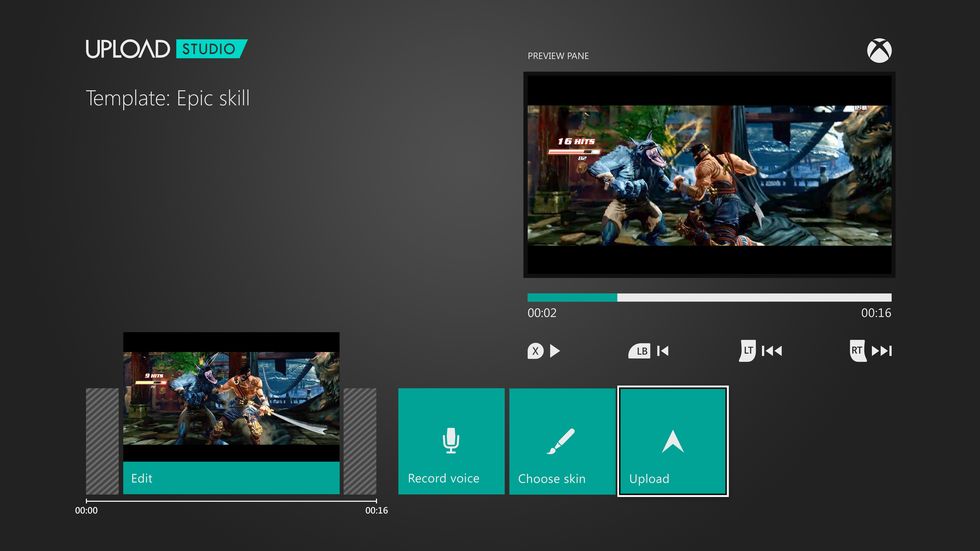

If you're anything like us, we never remember what our mate's Gamertag is, even though he's told us at least seven times down the pub already. Thankfully, with the new update you can now add Xbox One friends via Facebook if you connect your account, meaning that Gary will never get out of that long put-off FIFA thrashing he's deserved for months.
But don't want to shout about everything you do on Xbox One? Well, you'll be pleased to hear that you can now choose whether to share your gameplay clips, screenshots and achievements automatically or manually.