We earn a commission for products purchased through some links in this article.
The best mesh WiFi systems for your home in 2024
Make internet issues a thing of the past.

It’s easy to take WiFi for granted, but when the service gets patchy you realise just how important it is for almost every aspect of modern life.
Between streaming movies on Netflix or Disney+ to working from home, you'll want a strong internet connection in all rooms of your home. We know that's not always possible – but investing in a new mesh WiFi system is one way to make internet issues a thing of the past.
Best mesh WiFi systems


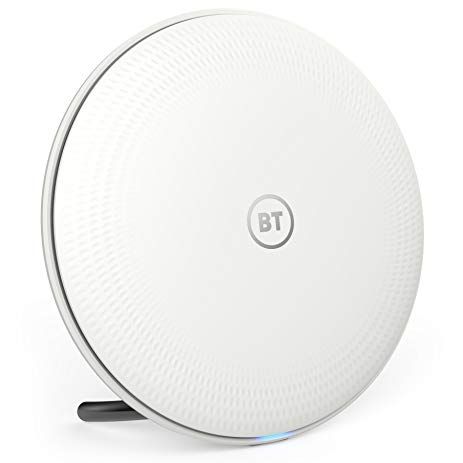
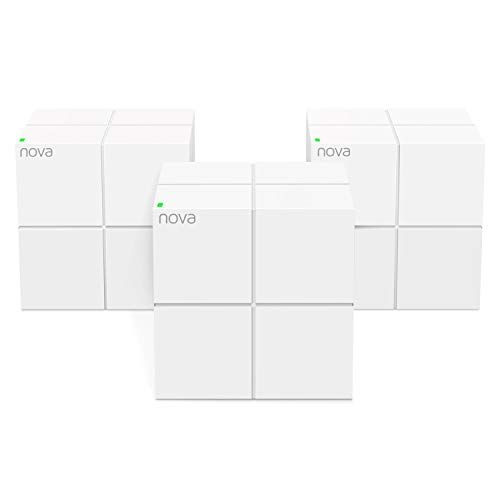
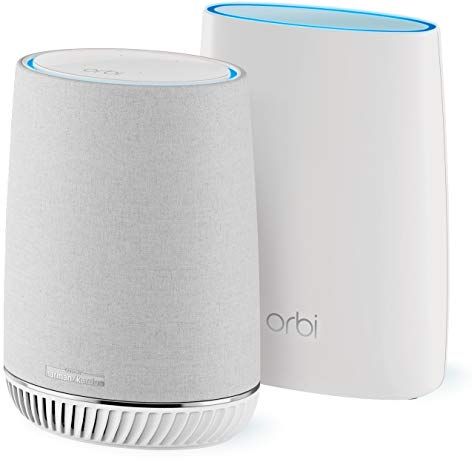
Unlike the typical setup (usually a single router sent by your internet provider), mesh WiFi systems use two, three or more access points (also called nodes) that are placed throughout your home. A central hub node communicates with your home router and shares the internet with the other nodes, turning them into individual routers.
Think of it like placing multiple WiFi hubs around your home and being able to connect to any one of them to give you coverage, even stretching into the far reaches of the garden or down in that room at the back that was once an internet black hole. Cool, right? We definitely think so.
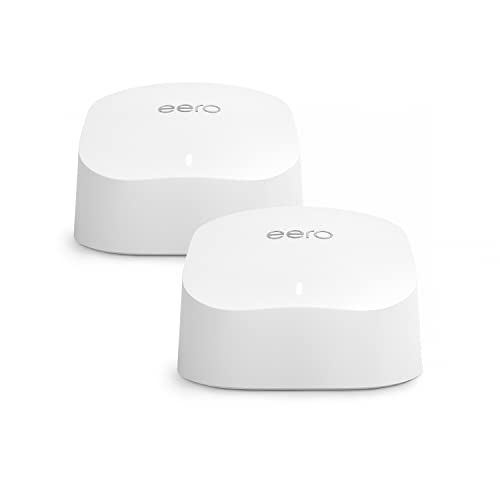
Number of units: 2 | Coverage: Up to 280 square metres | Speed: Up to 900 Mbps | Band: Dual-band | Number of ethernet ports per unit: 2 | Built-in voice assistant: Alexa | Dimensions: 9.9 x 9.7 x 6.1.4cm
This two-pack mesh WiFi system is a fantastic all-rounder for most homes, giving you speeds of up to 900 Mbps – more than enough for streaming and gaming – and a coverage area of up to 140 square metres. It has support for at least 75 devices at a time, and uses WiFi 6 so your connections should remain consistently strong.
As it's an Amazon product, it has full support for Alexa, and is simple to set up and manage using a mobile app – where you can access parental controls and set up individual user profiles.
Need more coverage? Extenders that beam the internet over more areas (up to 140 metres squared per unit) can be bought separately for £59.
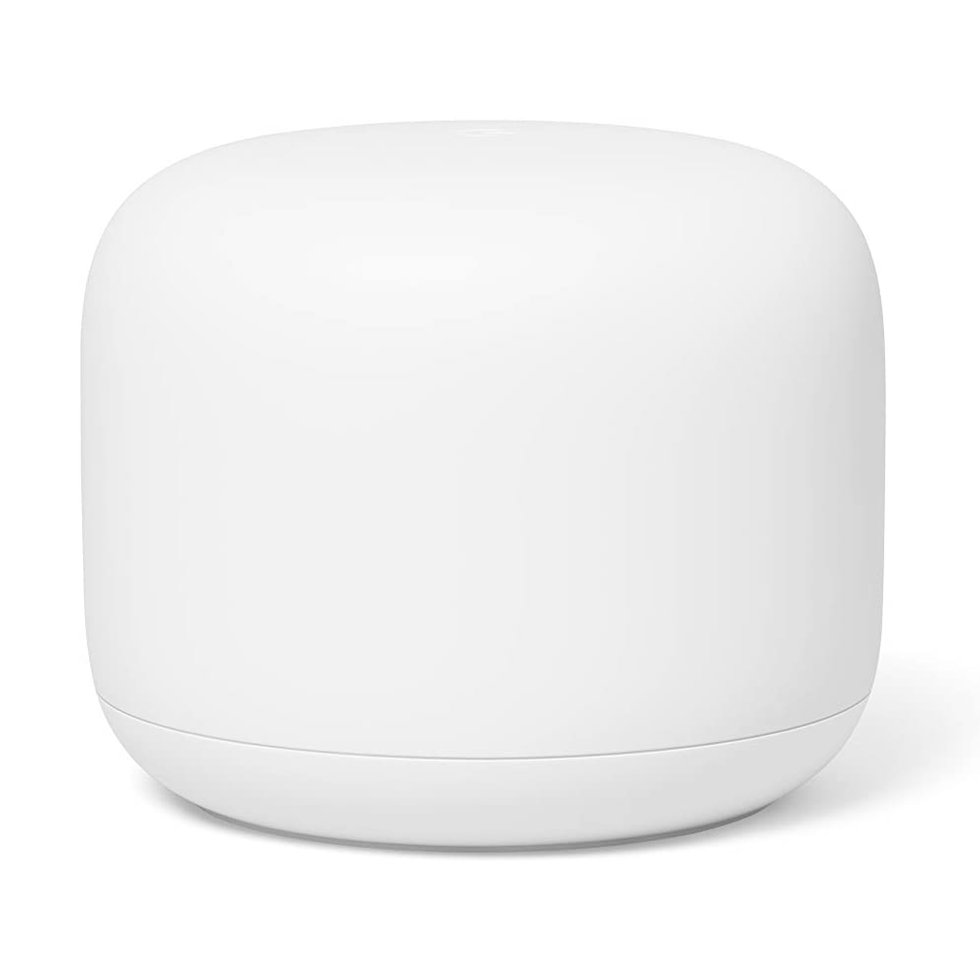
Number of units: 1 | Coverage: Up to 200 square metres | Speed: Up to 1200Mbps | Band: Dual-band | Number of ethernet ports per unit: 2 on the main unit | Built-in voice assistant: Google Assistant | Dimensions: 9 x 20 x 20cm
Google is known for simplicity, and its mesh WiFi is no exception. This single pack contains the main router, but we advise investing in at least one satellite unit or the two-pack.
The router and the point can add up to 100 connected devices – more than enough for a household – and you'll get up to 300 square metres with two devices combined. There are great parental protections built-in, plus full support for the Google voice assistant.
This mesh WiFi is best-suited to smaller homes, as although it extended our signal to the bottom of a 50-foot garden, the speed down there was less than 3% of the original connection. Happily, the rooms in the house only saw a 10% drop in speed. It even has built-in Google Assistant on its second node, which doubles as a speaker.
Number of units: 1 | Coverage: Up to 93 square metres | Speed: Up to 100 Mbps | Band: Dual-band | Number of ethernet ports per unit: None | Built-in voice assistant: Alexa | Dimensions: 10 x 10 x 8.9cm
If you already have a mesh WiFi system and want to add an extra satellite, why not make it one of the new Echo Dot smart speakers? That's right, the 5th gen models operate as an Eero WiFi extender. Brilliant internet connectivity and the ability to play your favourite Spotify playlists in the morning – what's not to love? You'll get speeds up to 100 Mbps, and extended WiFi coverage of up to 93 square metres.
Number of units: 3 | Speed: Up to 350 Mbps | Coverage: Up to 480 square metres | Band: Dual-band | Number of ethernet ports per unit: 2 | Built-in voice assistant: Alexa | Dimensions: 9.8 x 9.8 x 6cm
The Eero 5 isn't the most recent model on the market (using dual-band 2.4GHz and 5GHz connectivity, not the new WiFi 6) but we reckon this is still more than enough for many homes – and you're unlikely to see too much of a difference day-to-day. The router connects to your existing modem and delivers speeds of up to 550 Mbps over an area of up to 280 square metres using the bundled satellite unit. This is a great option for beginners as you can set it up in minutes, and it's got full Alexa support.
Number of units: 3 | Coverage: 560 square metres | Speed: AC1000 | Band: Dual-band | Number of ethernet ports per unit: 2 | Compatible voice assistant: Alexa | Dimensions: 19 x 9.1 x 9.1cm
If you have a home with thick walls, the TP-Link Deco P9 combines a mesh network with powerline adapters, which use your home's electrical wiring to beam the internet signal. In our tests, we found the system (consisting of three units) matched the performance of our winning mesh network, ensuring there was very little degradation in WiFi speed in all rooms.
It wasn't as successful when it came to extending this strong signal to the end of a 50-foot garden, as we saw the speed decrease to around 10 Mbps out there. Tall and not very premium-looking, this mesh network won't win prizes for style but it does a good job of removing WiFi dead spots.
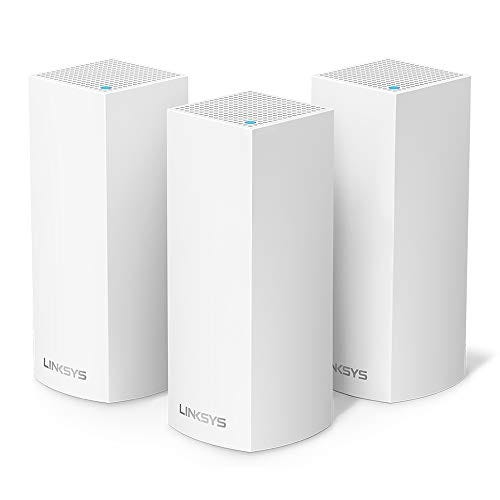
Number of units: 3 | Coverage: Up to 557 square metres | Speed: AC2200 | Band: Tri-band | Number of ethernet ports per unit: 2 | Built-in voice assistant: No | Dimensions: 18.5 x 7.9 x 7.9cm
If you don't need a voice assistant in your mesh WiFi, the Linksys Velop is just as effective at extending the reach of a network as our winning system, only cheaper. It comes with three access points and, on test, the WiFi speed dropped by just 10% in all of the rooms in our house. However, the internet speed in the garden was around half of that achieved by the Netgear Orbi Voice. It's super simple to set up – the app guides you clearly step-by-step and offers suggestions if things don't go to plan. Just like Netgear, Linksys also offers a WiFi 6 version, but it's considerably more expensive.
Number of units: 3 | Coverage: Unspecified | Speed: AC2500 | Band: Dual-band | Number of ethernet ports per unit: 1 | Built-in voice assistant: No | Dimensions: 7.7 x 16.5 x 16.5cm
This mesh Wi-Fi comes in packs of two or three access points, but you can add up to three more if you want to extend the system further. Its circular design won't be to everyone's taste (it reminds us of a UFO) but it does its job well. The three-access point system provided every room in our house with a Wi-Fi connection that was just 10% slower than our original speed online. It did extend our router's reach to the bottom of our 50-foot garden, but with a speed less than 3Mbps, it was a considerable drop.
For those that struggle to remember their Wi-Fi password, each disc has a plastic insert containing it. Note that this is the only mesh Wi-Fi on test that doesn't let you manage your network when you're away.
Number of units: 3 | Coverage: Up to 557 square metres | Speed: AC2500 | Band: Dual-band | Number of ethernet ports per unit: 2 | Built-in voice assistant: No | Dimensions: 10 x 10 x 10cm
The most affordable of all the mesh WiFi systems we tested, the Tenda Nova MW6-3 ensured we had a strong WiFi connection in every room in the house. It achieved speeds of around 80% of the 350Mbps line but failed to provide any WiFi access at the bottom of the 50-foot garden. The cuboid design is unusual but inoffensive. It comes with three nodes and offers network management tools, making it a bonafide bargain for those on a budget.
Number of units: 2 | Square footage covered: 4,500 | Maximum speed: AC3000 | Band: Tri-band | Number of ethernet ports per unit: 3 on main unit, 4 on second | Built-in voice assistant: Yes, Amazon Alexa | Dimensions (cm): 22 x 16.47 x 12.34
This is the best mesh WiFi system you can buy – and it's a breeze to set up. On test, it extended our WiFi throughout a 2,700-square-foot property and stretched right to the bottom of the 50-foot garden – something that couldn't be achieved with the ISP's standard-issue router alone.
The speed of the 350 Mbps connection dropped by less than 10% in all rooms in the house. Before installing the new system, three of the eight rooms regularly lost 75%. In the garden, we managed around 10% of the full WiFi speed.
This mesh WiFi system has two nodes. The second (dubbed the 'satellite' by Netgear) doubles as a smart speaker, with built-in Alexa ready to play music and control your smart home gadgets.
Netgear also offers the Orbi RBK852 which can support the new, speedy WiFi 6. This new Orbi is as good as the RBK50V at extending the reach of a WiFi network, without degrading the speed. However, it's almost double the price, and as only a handful of devices are capable of WiFi 6 right now, it's probably only suited to those who plan to upgrade their laptops and smartphones soon.
Do you need mesh WiFi?

Many WiFi issues can be solved with an extender that pushes the boundaries of your internet range but they can be thwarted by larger, older houses that have lots of walls or multiple floors in the way, and so your only other option will be a mesh system.
So if you're living in some grand, four-floor house with a large family, this could be a good pick-up to keep you connected. It's also an excellent way to keep young professionals and students working together in a house-share.
It's worth noting that these devices won't make your internet any faster, as you can only download or upload data at the speed your area gets. So if you have been quoted by your ISP as being able to see up to 30 megabytes per second (MBps), then that's all you'll get.
However, if you've recently got an Xbox Series X or PlayStation 5 in your bedroom and you're experiencing lag or drop out, mesh WiFi can give you a more consistent connection to keep you gaming.
Alternatively, a mesh WiFi system can be great for linking your laptop, smartphone, e-reader, and all sorts of different tech in hard-to-reach places of your house like attics, gardens, or throughout an older home.
How to choose a mesh WiFi system
Buying mesh WiFi? Here's what to consider:
Nodes
Generally speaking, two nodes should be sufficient to reach every room on the same floor as your ISP router. The more floors, walls and doors that the signal has to pass through, the more nodes you'll need to buy.
Bands
Just like modern routers, many mesh WiFi systems are 'dual-band', meaning they come with both 2.4GHz (long-range but can restrict speeds) and 5GHz (faster downloads but only covers shorter distances). Others, known as tri-band, have two 5GHz bands and a 2.4GHz band. This means that the nodes can exchange WiFi information with each other on a separate band, freeing up the other bands to focus on giving you a better connection.
Tools
Many mesh WiFi systems include tools to manage your network using an app you can download from your smartphone or tablet. These include parental controls and the ability to activate guest networks for friends and family without the need to divulge your master password.
Some systems let you prioritise certain internet activities, such as movie streaming, to end your buffering pain or allow you to set a shutdown period so your kids can’t keep streaming into the night without your knowledge.


Is the Ninja Creami ice cream maker worth buying?

The best multi-charger dock deals in 2026
Best Amazon Kindles in 2026

Best laptop backpacks