We earn a commission for products purchased through some links in this article.
Best iPhone alternatives in 2025
Leaving iOS? Here are the best Android rivals.

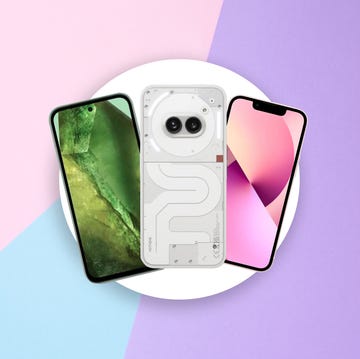
The Beatles vs the Stones. Marvel vs DC. Star Wars vs Star Trek. Rocky vs Creed. Android vs iOS. Yes, the battle of the two best smartphone operating systems is up there among the most famous rivalries of recent history — but if your mind's made up and you've decided to ditch the Apple handset, there's only one place to turn.
While Apple is laser-focused on dominating the high-end market, Google's open-source OS powers a huge variety of handsets – from £200 models used for basic calls and internet browsing to £1,000-plus luxury phones that boast the latest displays, batteries and processors.
Apple is known for its bustling and connected ecosystem – like the iPad, iMac, Apple Watch and HomePod – but you don't have to sacrifice that if you go for an iPhone alternative. Brands like Google and Samsung now offer smartwatches, smart speakers, displays, doorbells and laptops that work seamlessly with each other.
We're not here to debate which OS is better (hint: both have good bits and bad bits), but we are here to provide you with a list of the best Android phones that we consider to be rivals to Apple ringers. There's no shame in wanting to escape the walled garden. Just don't say it within 50 metres of your local Apple Store.
If you're buying one of the latest Androids, keep an eye out for discounts. To save you time, we've been trawling the web to find the best Pixel 9 deals, the best Pixel 8a deals and the best Samsung S24 deals.
Best iPhone alternatives
- 1

- 2

- 3

- 4

- 5
How Digital Spy tests iPhone alternatives
We test the best iPhone alternatives by using them just how you would, going hands-on to evaluate the screen quality, performance, speed, speaker strength and battery life.
We download multiple apps from the Google Play Store and take lots of photos and videos to judge the effectiveness of the camera system. Throughout our in-depth testing, we're constantly comparing how every process compares to iOS.
Google Pixel 9
Pros
- Vibrant 6.3-inch screen, 120Hz
- Seven years of software updates
- Camera takes stunning shots

Cons
- No telephoto lens
- Quite pricey

Display: 6.3-inch, 1080 x 2424 pixels | Processor: Google Tensor G4 | Camera: 50MP wide, 48MP ultrawide | Storage: 128GB, 256GB | Battery: 4,700mAh | Weight: 198g
In 2024, the best iPhone alternative is the Google Pixel 9. Firstly, it's a great smartphone with one of the best cameras in the business – as long as you don't care about having a dedicated zoom lens, its photos easily compete against Apple's. Secondly, it'll be the easiest to switch to – Google's version of Android is the simplest to understand so moving across will be less of a challenge. And thirdly, it looks super sleek and the new camera island sets it apart from the rest of the phone crowd.
Giving this phone an edge over the iPhone, the Google Pixel 9 comes with loads of useful clever Pixel-specific features that will change how you use your handset including the Gemini AI chatbot, the Magic Editor on the camera, Circle to Search, Bedtime Mode and the list goes on.
Buy if:
• You want a small smartphone that will last for ages
• You want an easy-to-use operating system
Don't buy if:
• You want a dedicated zoom lens on the camera
• You would rather have a big screen
Google Pixel 8a
Pros
- Beautiful shots from the camera
- All-day battery life
- Flagship Tensor G3 processor
Cons
- Takes a while to charge
- Quite slippery design
Display: 6.1-inch, 1080 x 2400 pixels | Processor: Google Tensor G3 | Camera: 64 MP wide, 13 MP ultrawide | Storage: 128GB, 256GB | Battery: 4,492mAh | Weight: 188g
We know what you're thinking: a sub-£500 phone? That can't compete with an iPhone. Well, we beg to differ. The Pixel 8a is shockingly good value. The closest comparison is the iPhone SE, but the iOS handset has an old design, an LCD display and only one camera. Plus, you'd have to settle for a Lightning port instead of USB-C.
In comparison, the cameras on the 8a take effortlessly brilliant snaps, it has solid performance thanks to Google's Tensor processor (which is the same chip as found in the one-time flagship Pixel 8 and 8 Pro) and the software is packed with clever tools while being free of bloatware and is customisable. We love that it looks similar to the Pixel 8 and that software update support is promised until well into 2031.
Buy if:
• You're on a budget
• You intend to keep your next phone for a long time
Don't buy if:
• You want a dedicated zoom lens on the camera
• You would rather have a big screen
Google Pixel 9 Pro
Pros
- High-quality 6.3-inch display
- Triple-lens camera setup
- Easy to use with loads of AI features
Cons
- Quite expensive
- Charging is still quite slow
Display: 6.3-inch, 1080 x 2424 pixels | Processor: Google Tensor G4 | Camera: 50MP wide, 48MP ultrawide | Storage: 128GB, 256GB | Battery: 4,700mAh | Weight: 198g
We've been hands-on with the Pixel 9 Pro extensively and it's an impressive handset in every way. Unlike the previous Pro models, this one is compact and great for anyone who wants a pocket-friendly handset.
Powered by the latest Tensor G4 chip (made by Google itself), you can tell that the hardware and software are constantly working hand-in-hand, with lots of smart AI working behind the scenes to optimise the performance and camera system. The display is bright and colourful, navigation is fast and the camera is sublime, with modes to fix blur, erase objects from pictures and even use a subject's expression from a different photo to fix a messy group shot.
If there's one phone to steal Apple's "it just works" mantra, it's this. While we are very impressed with the iPhone 15's photo skills, you're unlikely to find better smarts on a phone, at least until the next Pixel.
Buy if:
• You want a small smartphone
• You want an advanced camera system
Don't buy if:
• You're on a budget
• You want a big screen
Google Pixel 9 Pro review
Samsung Galaxy S24
Pros
- Small and light
- Top camera performance
- Long software support
Cons
- Samsung software is busy
- Not that different from the S23
Display size: 6.2-inch | Resolution: 1080 x 2340 pixels | Processor: Exynos 2400 | Cameras: 50MP wide, 10MP telephoto, 12MP ultrawide | Battery: 4,000mAh | Storage: 128GB/256GB | Weight: 167g
Another small phone to rival the iPhone 15 is the Samsung Galaxy S24. Offering great value, a top-tier camera system, an impressive screen, speedy performance and all-day battery life, this is a good pick for anyone moving across from iOS. Plus the flat design looks just as sleek and modern as its iOS counterpart.
In comparison to the Pixels, Samsung's software is a little more complicated but you'll soon get used to it. Unlike most smartphones at this price, you'll get a dedicated 3x zoom lens so if that's a feature you use a lot then this is the best buy. In our hands-on review, we described the S24 as "the all-rounder upgrade you've been waiting for".
Buy if:
• You want a pocket-friendly smartphone
• You need an impressive camera system
Don't buy if:
• You want simple software
• You would rather have a big screen
Nothing Phone (2)
Pros
- Panel lighting is a very distinctive look
- 120Hz refresh rate display
Cons
- Some features are gimmicky
Display size: 6.7-inch | Resolution: 2,412 x 1,080 pixels | Processor: Qualcomm Snapdragon 8+ Gen 1 | Cameras: 50MP wide, 450MP ultrawide | Battery: 4,700mAh | Storage: 128GB/256GB/512GB | Weight: 201.2g
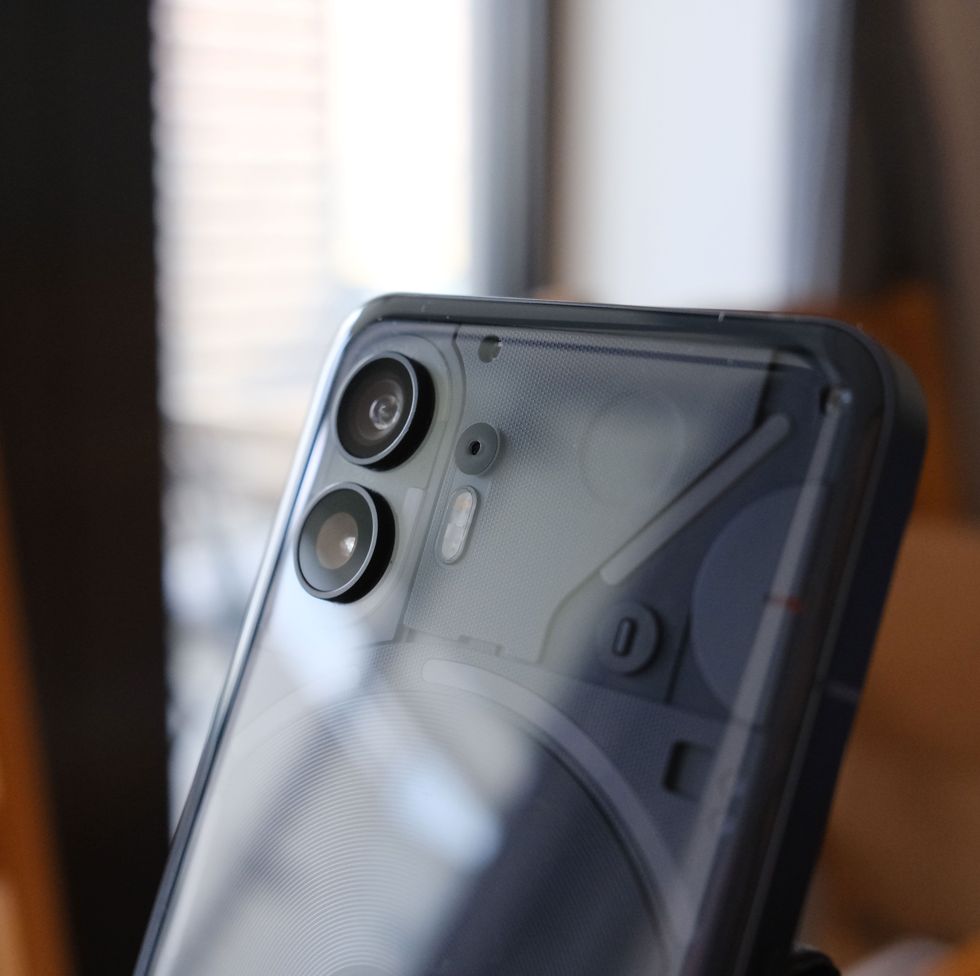
The Nothing Phone (2) — yes, that's really what it's called — is more affordable than the Pixel 8 or iPhone 15, and we found during hands-on tests that it has decent cameras, quick charging, a 120Hz refresh rate display and clean Android software.
But let's be honest: You're not buying this for power or specs. You're buying it for the design. It may resemble an iPhone at a glance, but that changes when you turn it over. The back is transparent, so you can see lots of internal components, and it lights up using hundreds of LEDs that change patterns when you receive a call or notification or when you're charging the battery.
The Nothing Phone (2) may be a solid mid-ranger, but it has some of the most eye-catching aesthetics of any smartphone that you'll find.
Buy if:
• You want a pocket-friendly smartphone
• You want a unique design
Don't buy if:
• You want an impressive camera
• You need a super sturdy device
Google Pixel 8
Pros
- Fantastic camera system
- Feels great to use in the hand
Cons
- Lacks 'Pro' camera controls
Display size: 6.2-inch | Resolution: 1,080 x 2,400 pixels | Processor: Google Tensor G3 | Cameras: 50MP wide, 12MP ultrawide | Battery: 4,575mAh | Storage: 128GB/256 GB | Weight: 187g
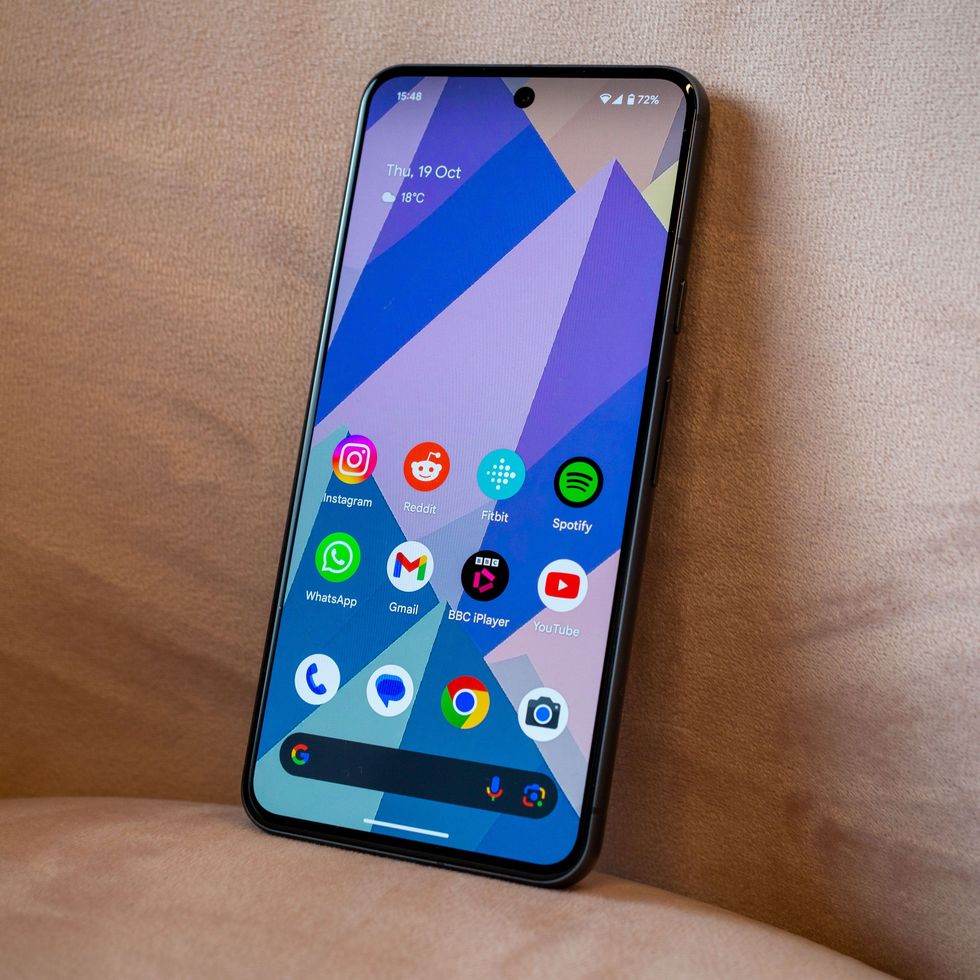
If you want a great deal on a flagship phone, buy the previous generation device. The Pixel 8 is still a great handset with a full 120Hz refresh rate compared to the iPhone's 60Hz, so it feels a bit smoother to use. Plus, it's got a crisp OLED screen, a full day of battery life, lots of built-in picture editing tools, and a strong focus on AI features.
We've been hands-on with both the Apple and Google devices and here's the truth: Each gives you top performance, lots of speed, years of software support and a brilliant point-and-shoot camera.
Buy if:
• You want a pocket-friendly smartphone
• You intend to keep your next phone for a long time
Don't buy if:
• You want a dedicated zoom lens on the camera
• You would rather have a big screen
Google Pixel 6 (refurbished)
Pros
- Higher refresh rate than iPhone
- Still takes stunning pictures
Cons
- Fingerprint sensor not as good as new models
Display size: 6.4-inch | Resolution: 1080 x 2400 pixels | Processor: Google Tensor G1 | Camera: 50MP wide, 12MP ultra-wide | Battery: 4,614mAh | Storage: 128GB/256GB | Weight: 207g
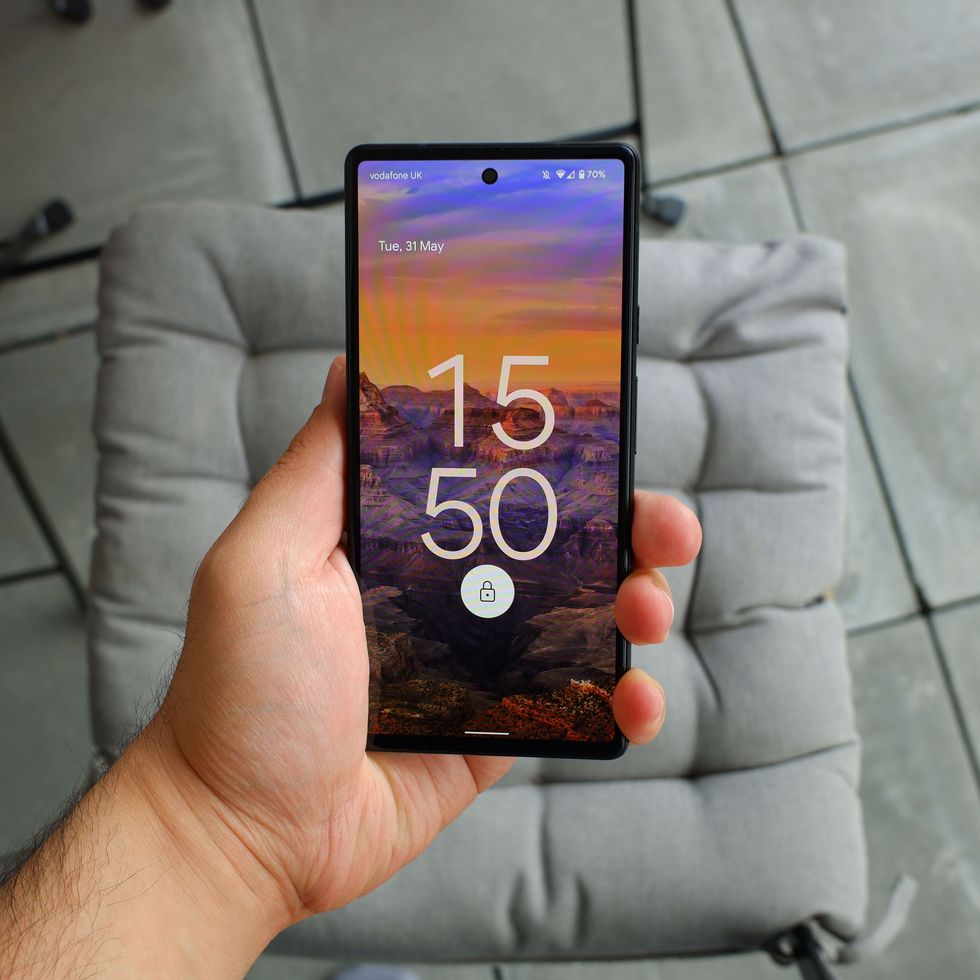
The Pixel 6 may be a few years old now, but the progress of time hasn't made it any less of a great Android smartphone. While the new flagship Pixel handsets have a slightly updated design and a polished camera bump, this still has a very similar design – plus it takes stunning pictures with ease. This is a former flagship, after all.
The 6.4-inch display has a 90Hz refresh rate – more than the iPhone 15 – and it's just as easy to use as any other Pixel. Thanks to Google's AI, it still takes pictures to rival some current flagships, and you're still getting security updates until October 2026.
Buy if:
• You want to save money
• You need a good camera
Don't buy if:
• You intend to keep your next phone for a long time
• You would rather have a big screen
Samsung Galaxy S23 Ultra

Samsung Galaxy S23 Ultra
Pros
- Built-in S-Pen stylus
- Good storage options
Cons
- More expensive than many iPhones
Display size: 6.8-inch | Resolution: 1440 x 3088 pixels | Processor: Qualcomm Snapdragon 8 Gen 2 | Camera: 200MP wide, 12MP ultra-wide, 10MP telephoto | Battery: 5,000mAh | Storage: 128GB/256GB/512G | Weight: 233g
The S23 Ultra is a former Samsung flagship (released alongside the Galaxy S23 and the Galaxy S23+) and inside its squared-off body is an S-Pen stylus, which clicks neatly into the bottom left corner and lets you use the handset as a smartphone-tablet hybrid. It's ideal for making notes or sketches on the go, but it's also surprisingly helpful if you're just browsing websites or scrolling apps.
Outside of the bold and sturdy slab design, you'll find loads of high-end specs. The display is bright and goes up to 120Hz for ultra-smooth performance, and the cameras are brilliant at night shots and for recording 8K resolution video. Plus, the chip promises blazing-fast speeds, too.
Buy if:
• You want to save money on a top-tier flagship
• You want an advanced camera system
Don't buy if:
• You want the latest hardware
• You want a small handset

Verdict
The best iPhone alternatives are Google Pixels – the Pixel 9 will suit most people, the Pixel 9 Pro is our top premium pick and the Pixel 8a is the best budget iPhone alternative. It's the easiest version of Android to switch to from iOS.
Other brands to consider are Samsung and Nothing. The best Samsung phone for iPhone-abandoners is the Samsung Galaxy S24, while the Nothing Phone (2) is a great option for anyone who wants a unique standout design.
What about my iPhone apps?
We know that you're probably asking yourself: "What will I miss switching from Android to iPhone?" We're here to tell you that it's not as much as you might fear.
These days, there are Google counterparts for everything you value on your iPhone, whether that's your calendar, pictures, messages, music or contacts. While there are no iOS apps on Android – you can't access iMessage, FaceTime or iTunes – there's always an alternative. Instead of the App Store, your apps are downloaded via the Google Play Store.
You'll find that Pixel and Samsung phones come pre-installed with Android apps such as YouTube, Maps, Messages, Google Assistant (instead of Siri) and the main Google services, such as Drive for cloud storage, Docs for text files, Gmail for emails and Meet for video calls. And don't worry, you'll still be able to join FaceTime calls via the web browser as well.
It'll take some time for your trove of data to transfer, and some apps not pre-installed on your phone (such as most social media apps) will need to be re-downloaded, too.
Is it easy to switch from iPhone to Android?
Making the switch from iPhone to Android can be straightforward –however, it gets tricky if you're a heavy user of iOS apps, including Apple Music and iMessage. They just don't exist on Android - but they do have similar counterparts.
Thankfully, it's not a case of having to manually move every file, contact, video and photo. One of the easiest ways to get started is by downloading Google's Switch to Android app from the App Store, which still isn't listed via the search function on the store but can be accessed via a direct link.
This gives you a step-by-step process of copying your photos, videos, calendar, events contacts and data, walking you through how to copy content from iCloud storage.
Alternatively, you can make a copy of your camera roll, calendar and contacts by making a full backup (also known as syncing) via Google Drive. All you'll need to do is download the Drive app onto your iPhone, sign in with a Google Account and follow the steps.
Another way of transferring pictures saved on the device is by creating a backup via the iOS Google Photos app. When you launch your Android phone, it's just a case of restoring the backup.
What about the rest of your data, like notes, call logs or files? Just follow the step-by-step guide that's offered when setting up your Android phone. This is done by connecting the two smartphones with a Lightning-to-USB-C cable. Samsung has its own app for this process, Smart Switch, that's best if you're on a Galaxy phone.
Again, you also won't be able to use iMessage on your Android phone. Texting (unless you just use WhatsApp) is done via the Messages app.
There won't be a problem texting your old iMessage buddies from your Android phone, but don't forget to turn off iMessage on your old iOS handset – and deregister via Apple if your SIM has already been moved – or you'll have trouble receiving texts that have been sent to you from an iPhone in the future.
Why you can trust Digital Spy
Digital Spy has been in business for 25 years, with a team of experts across TV, movies and tech.
Yasmine Crossland, our Tech Ecommerce Editor, has reviewed countless phones since the start of her career and is an expert on Android in particular, which means she's well-placed to rank the top iPhone alternatives.

Best iPhone chargers in 2026

Google's Pixel 10 Pro is cut to lowest-ever price
Sky Black Friday deals 2025

Take better photos with the new Google Pixel 10